Auto repair CRM and shop management — under control.
AutoLedgerPro — the first CRM for auto shops that replaces your notebook, Excel, and WhatsApp. Real-time. On any device.
Trusted by auto repair shops worldwide
Does this sound familiar?
Most auto shop directors are managing chaos instead of managing their business.
"Where's the mechanic? What are they working on?"
You're making calls instead of checking a system. Because there is no system.
"Notebook gone — client's here — you know nothing"
All client history is in your head. Or in the notebook that's gone.
"Parts ran out, money spent — where did it go?"
Nobody counts the inventory. Parts just "get used". That's not inventory — that's a black hole.
"End of month profit is a mystery"
Beat last month? No? Why? Unknown. Finances don't work on "roughly."
"Client didn't come back. Why? No idea."
You don't have a CRM — you have memory. And memory doesn't scale.
"Hand-written invoice, counted twice, wrong total — client's upset"
An invoice should take 10 seconds. Not 10 minutes. And never have errors.
From chaos to clarity — in one day.
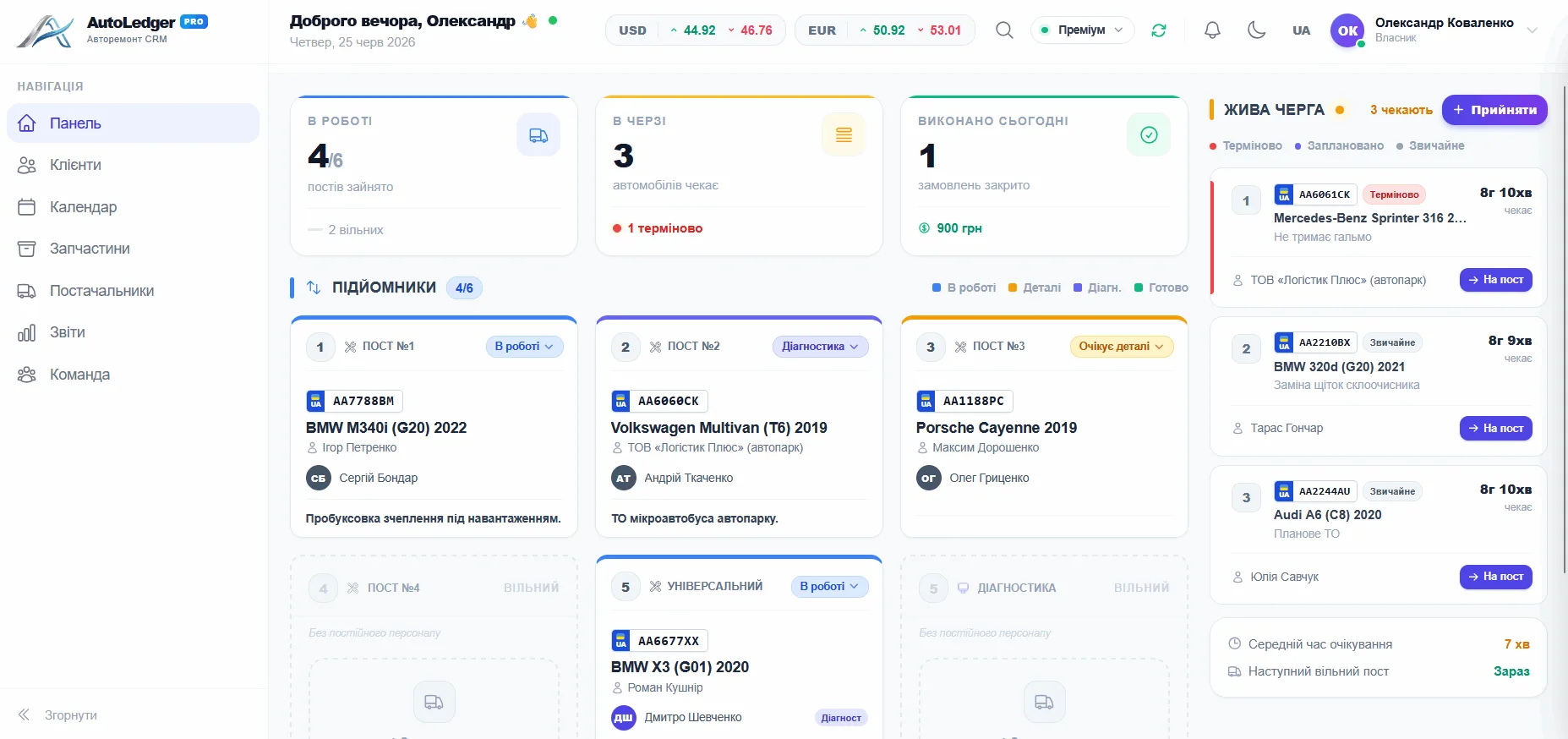
One screen. Your entire shop. Real-time.
4 lifts active — you see it instantly
₴14,800 revenue today
3 cars waiting for lift assignment
BMW — ready, waiting for pickup
See every module in action
Not screenshots for the sake of it — the real screens your team works in every day.
Operations Dashboard
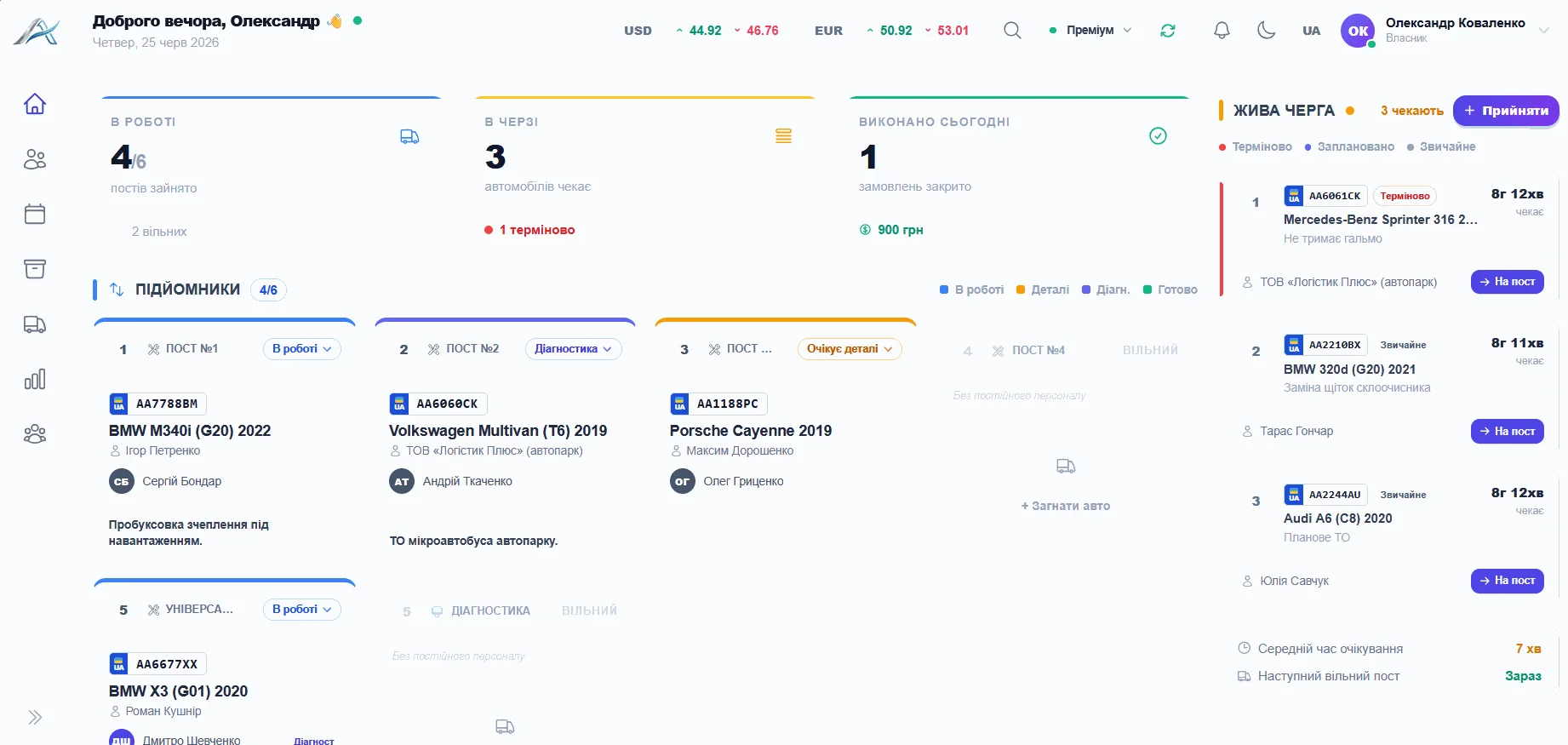
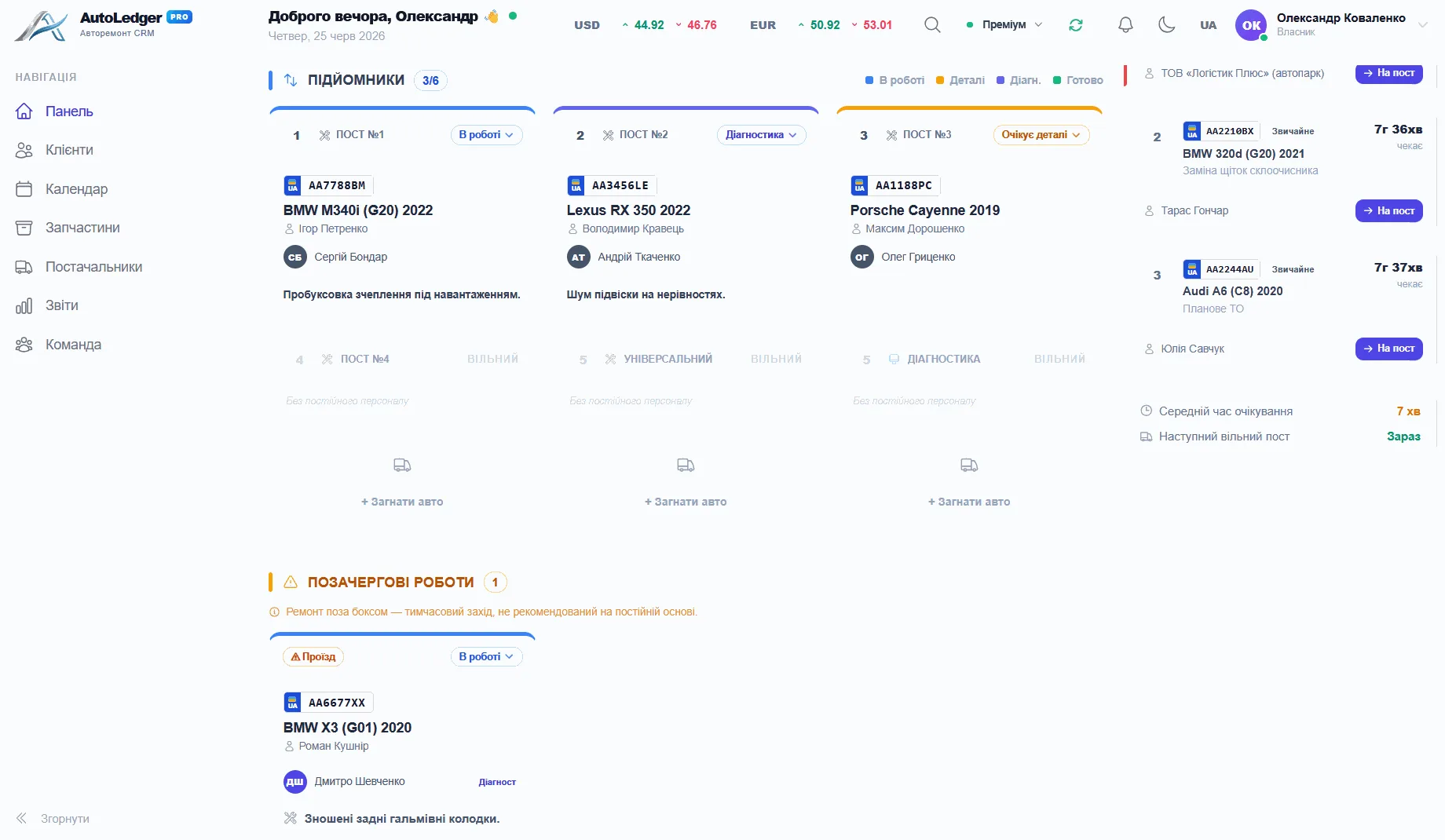
See shop load at a glance: which lifts are busy, who is working, and what is ready for pickup.
- Live lift statuses: busy, free, waiting, ready
- The front desk knows where the next car should go
- The owner sees the whole day without chasing updates
Repair Hub
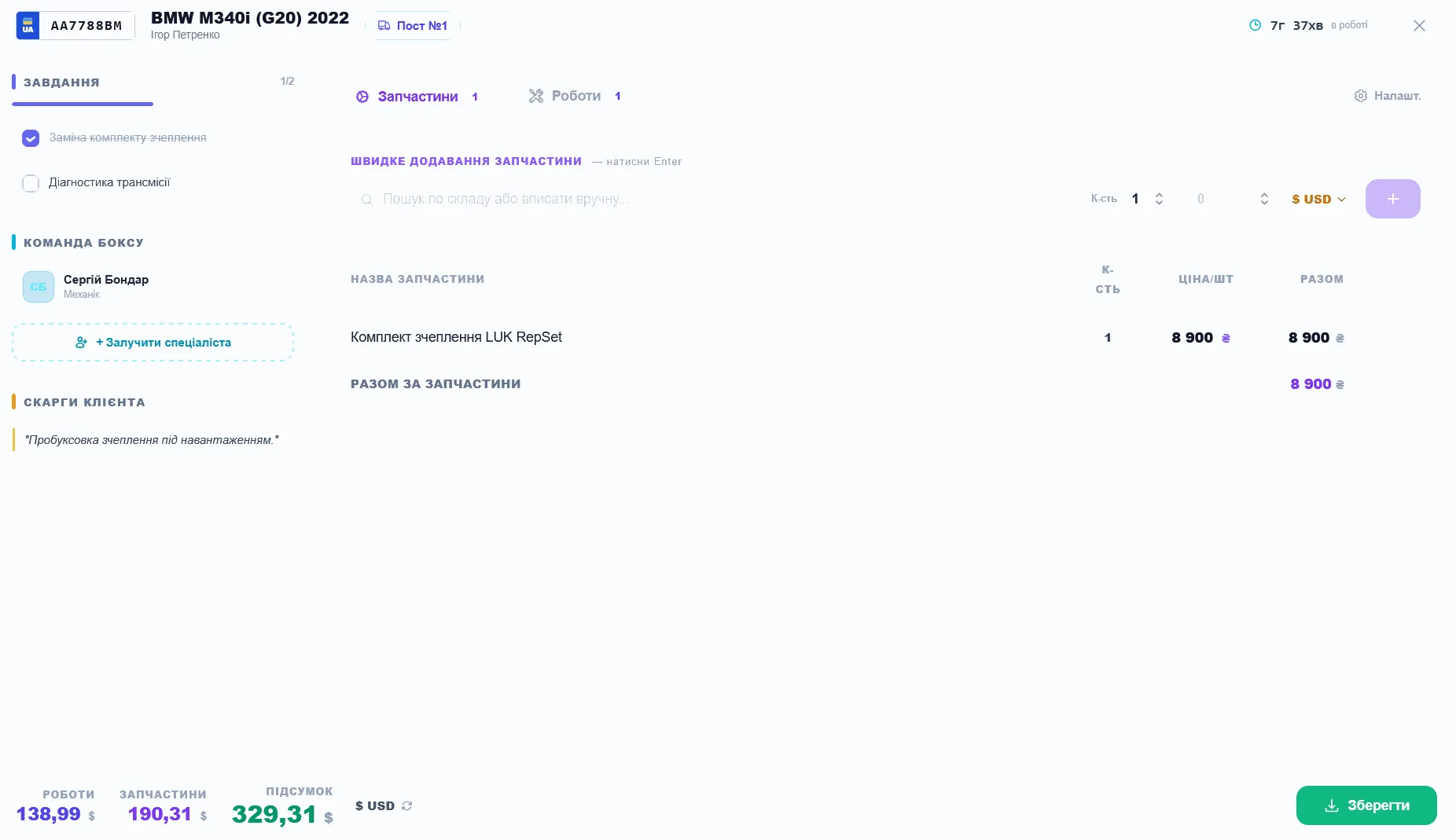
Each repair order keeps the full story together: diagnostics, labor, parts, payments and owners.
- Labor, parts and labor hours are calculated automatically
- Full history per car — what, when and who did it
- Repair status updates for the whole team instantly
Client CRM
A client base that remembers every car and every visit. Auto-fill by plate number.
- Auto-fill client and vehicle by plate or VIN
- Every visit and every cost — in one client card
- Contacts protected with AES-256 encryption
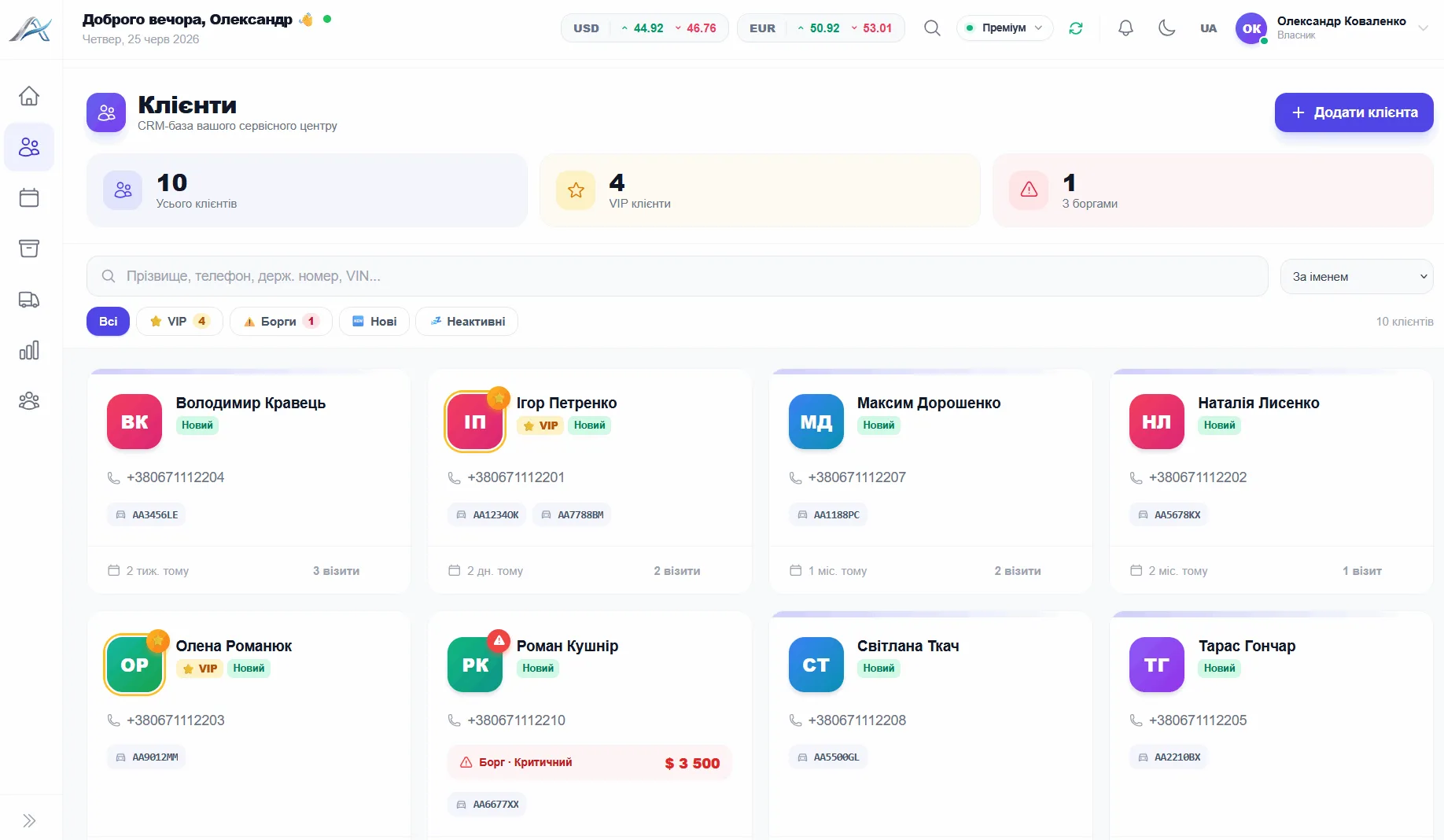
Schedule & Appointments
Client booking without WhatsApp. Interactive lift-by-lift timeline.
- Interactive lift-by-lift appointment timeline
- Book clients without WhatsApp or phone calls
- See open slots and shop load days ahead
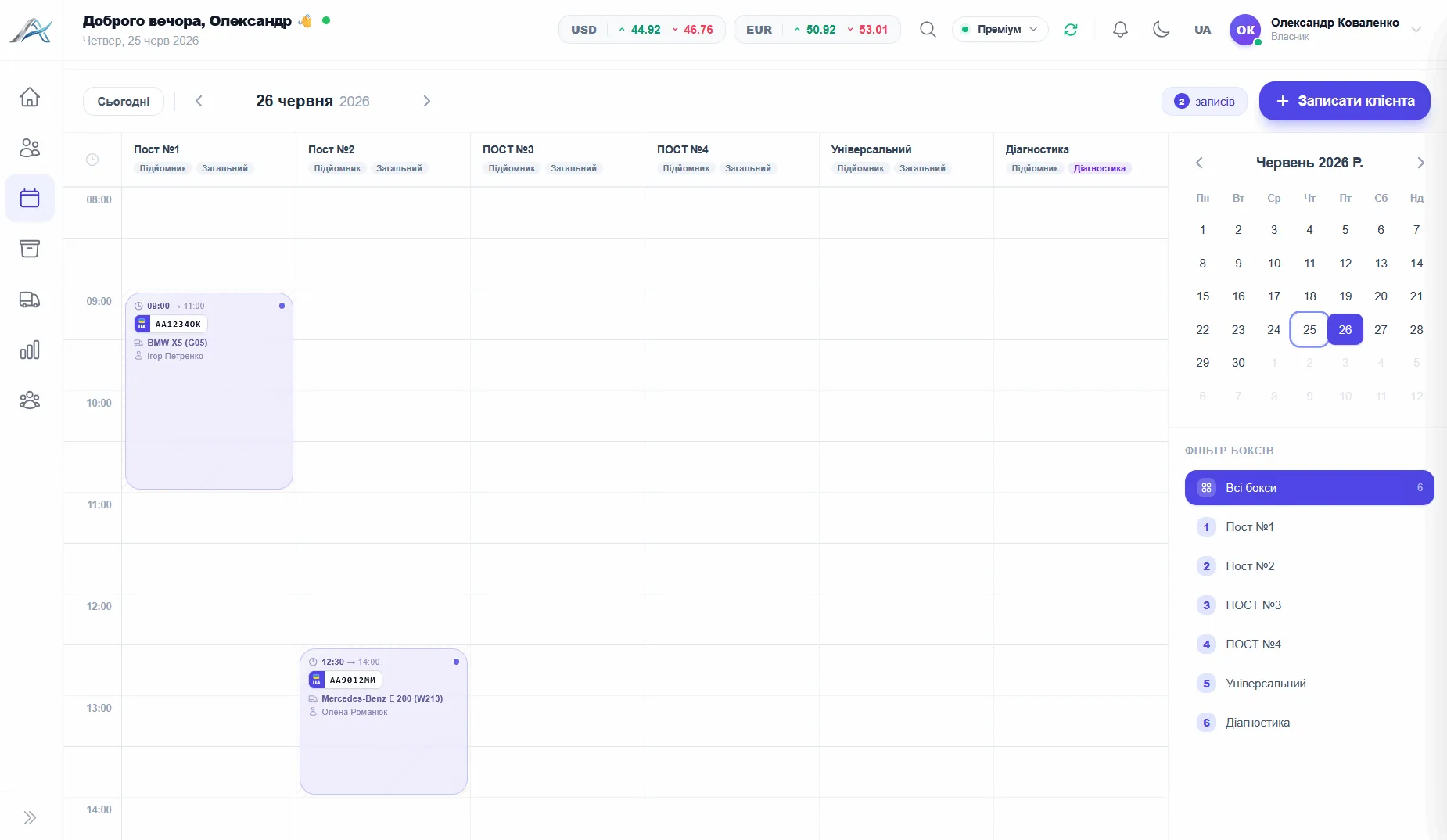
Parts Inventory
Know what's in stock, what's running low, what was used on every car. Suppliers and debts.
- Stock levels, low-stock alerts and per-car usage
- Suppliers, purchases and debts under control
- Prices in USD/EUR at the live NBU exchange rate
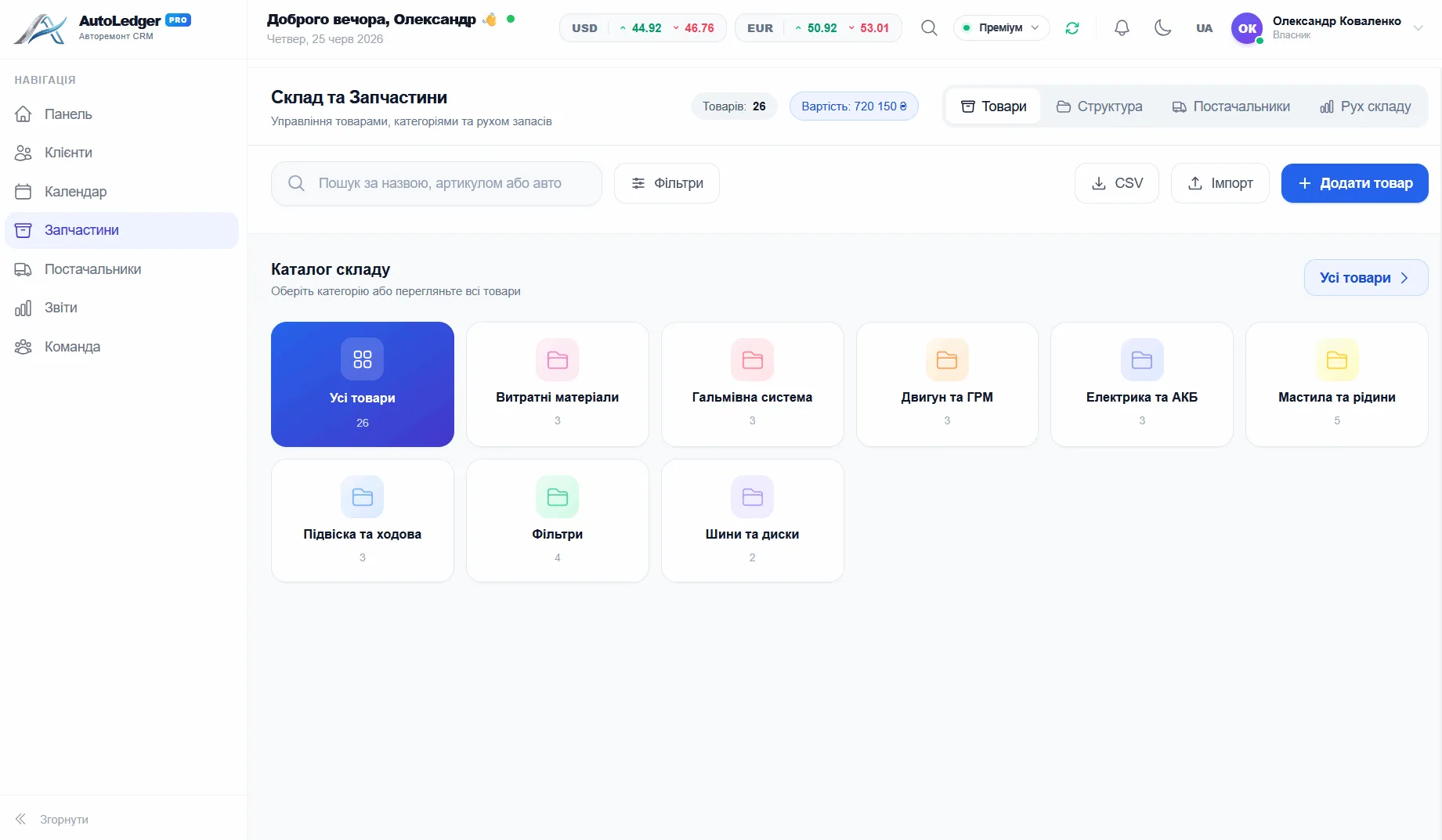
Suppliers
Suppliers, orders and purchasing — contacts, prices and balances in one place.
- Supplier directory with contacts and product catalog
- Order parts and keep purchasing under control
- Items and orders tracked per supplier
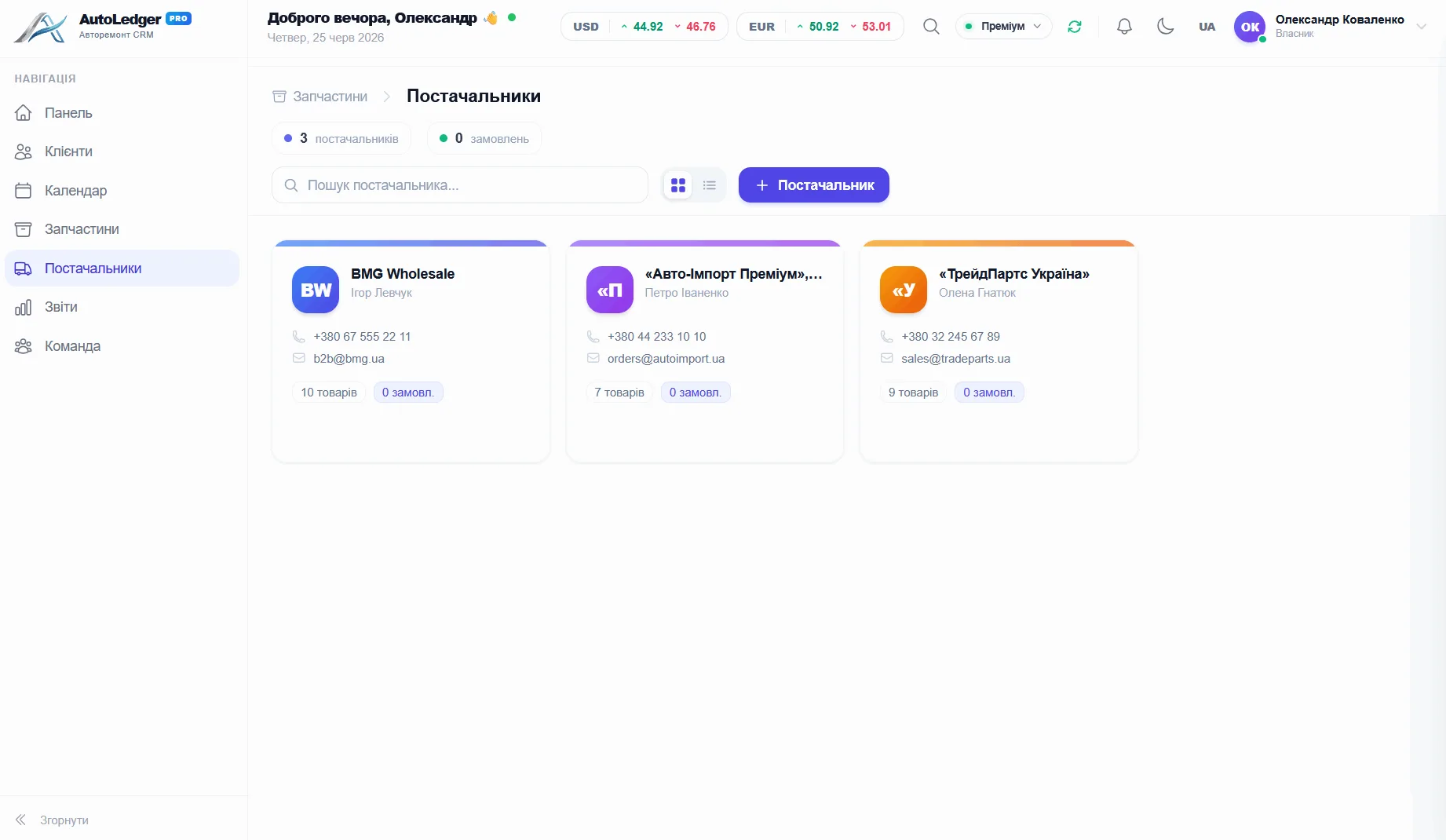
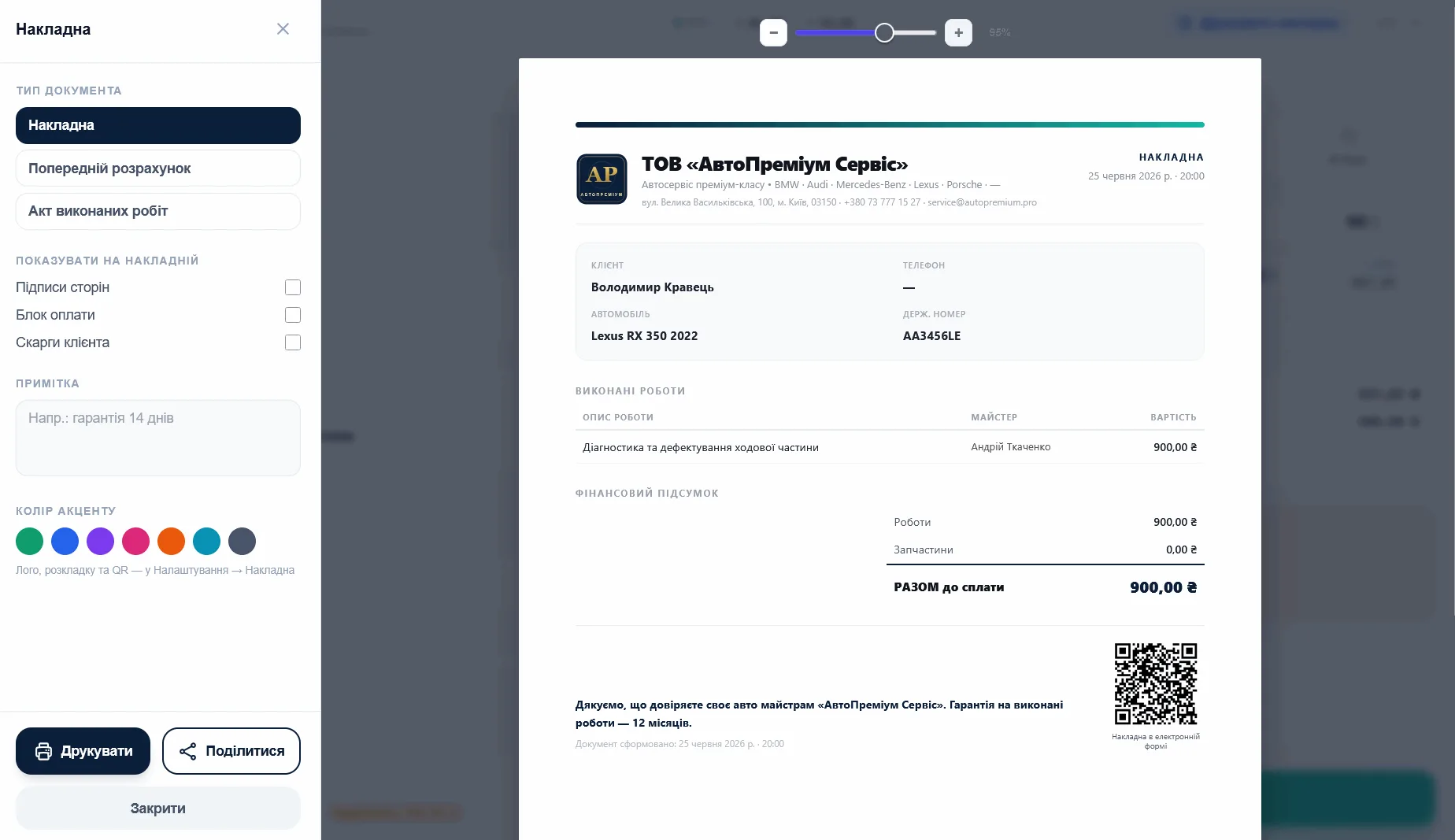
Reports & Analytics
Track more than turnover: margin, team load and the services that actually make money.
- Profit, average ticket and technician pay without manual spreadsheets
- Top services and parts — see what actually earns
- Export and print ready reports in one click
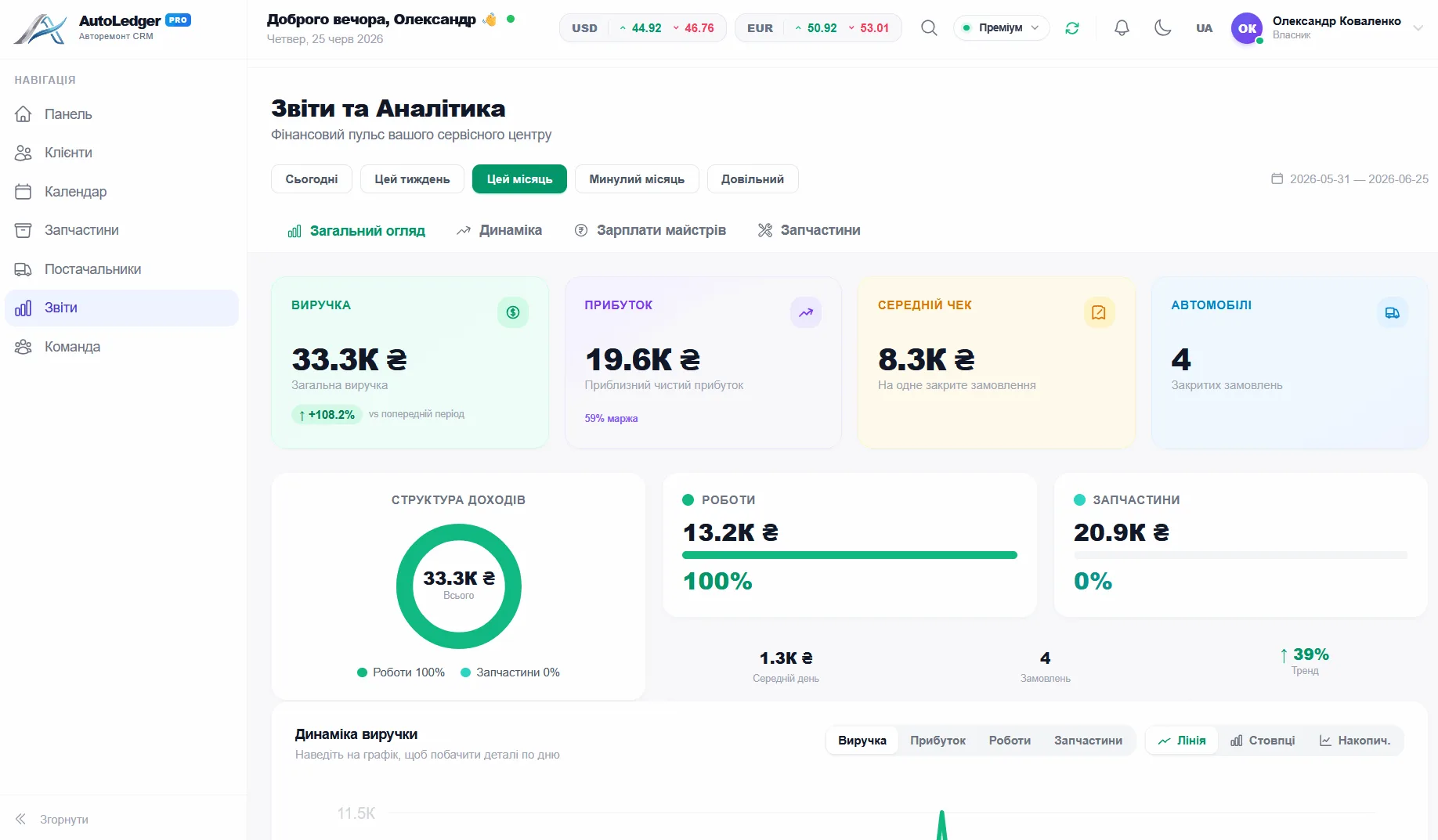
Staff & Access
Mechanics, managers, access rights. Invite via 6-digit code.
- Mechanics, managers and granular access rights
- Invite your team with a 6-digit code
- See who's working on what right now
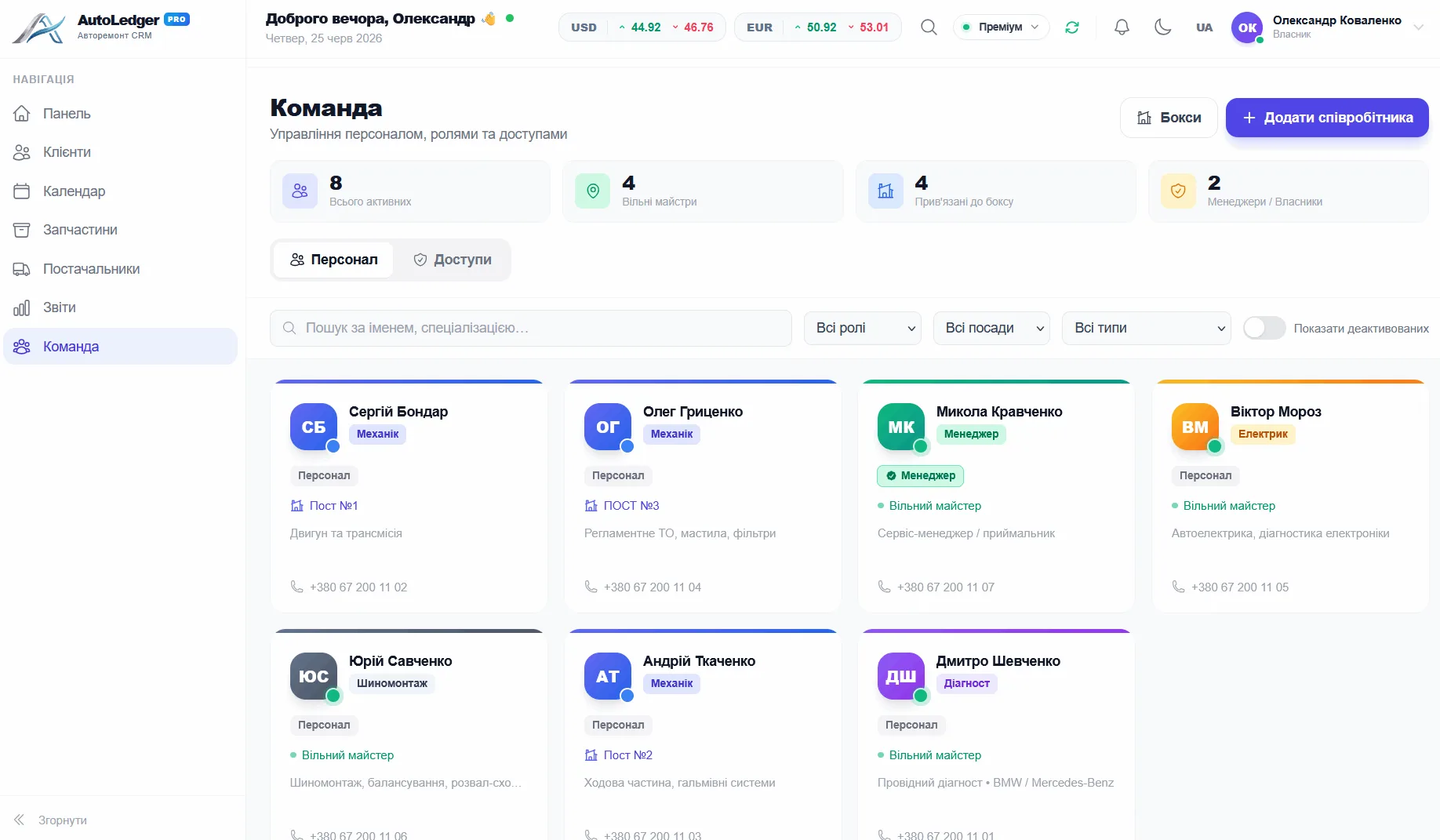
Checkout & Invoices
Invoice in 10 seconds. Everything already calculated. Print in one click.
- Invoice in 10 seconds — everything pre-calculated
- Print and e-invoice with QR in one click
- Split payments, cash, card — any scenario
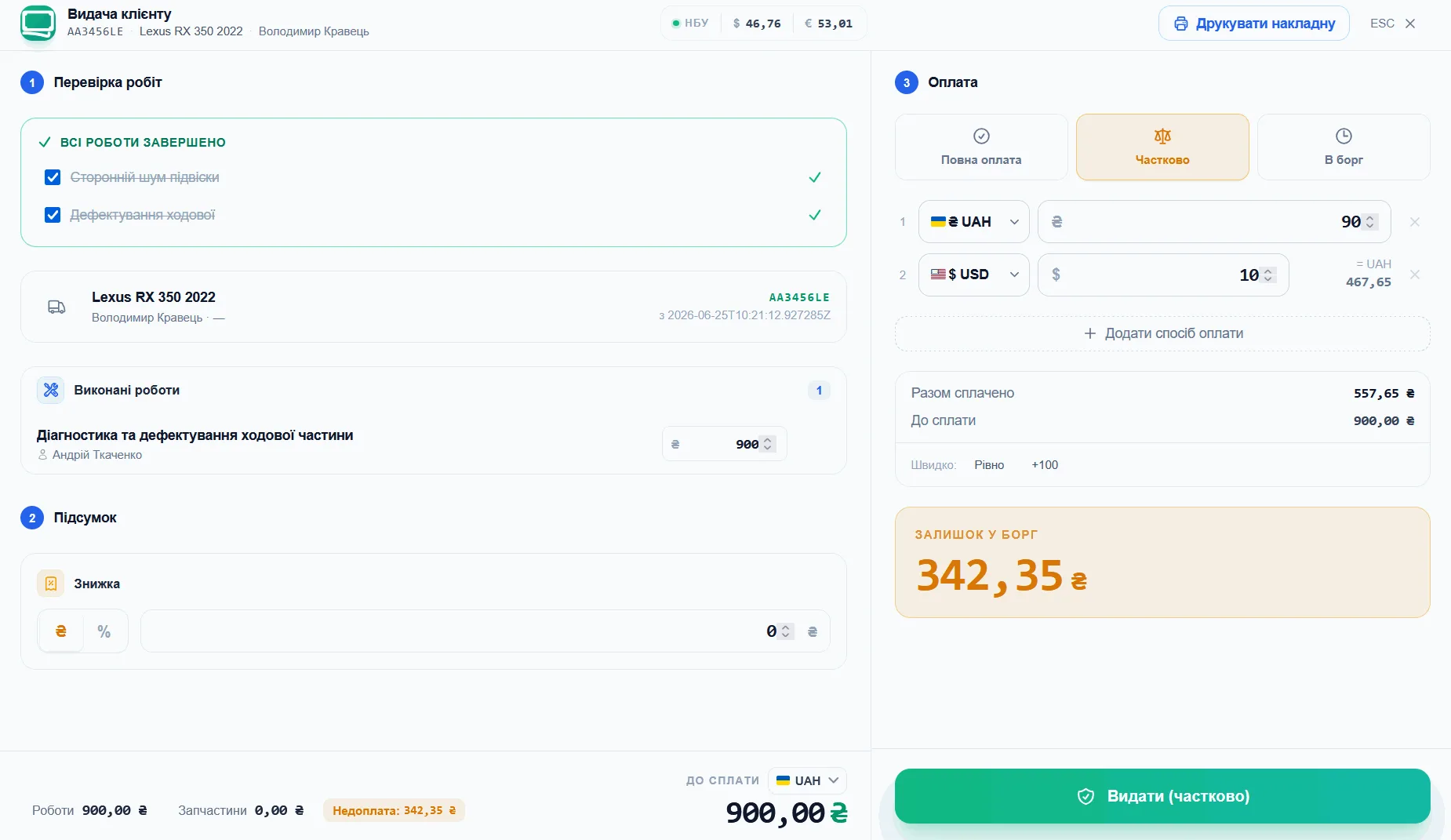
Invoices & documents
Invoice, work-completion act or quote — a branded layout with your logo and QR.
- Invoice, work-completion act or upfront quote
- Branded layout: logo, accent color and QR code
- Print or send an e-document to the customer in one click
Everything a modern auto shop needs
10+ modules. One product. Nothing unnecessary.
Operations Dashboard
See shop load at a glance: which lifts are busy, who is working, and what is ready for pickup.
Repair Hub
Each repair order keeps the full story together: diagnostics, labor, parts, payments and owners.
Client CRM
A client base that remembers every car and every visit. Auto-fill by plate number.
Schedule & Appointments
Client booking without WhatsApp. Interactive lift-by-lift timeline.
Parts Inventory
Know what's in stock, what's running low, what was used on every car. Suppliers and debts.
Suppliers
Suppliers, orders and purchasing — contacts, prices and balances in one place.
Reports & Analytics
Track more than turnover: margin, team load and the services that actually make money.
Staff & Access
Mechanics, managers, access rights. Invite via 6-digit code.
Checkout & Invoices
Invoice in 10 seconds. Everything already calculated. Print in one click.
Invoices & documents
Invoice, work-completion act or quote — a branded layout with your logo and QR.
Built for modern auto repair shops
Not just a pretty interface — engineered for what the auto business actually needs.
LiqPay — instant card payments
Subscription via LiqPay. No Stripe, no international fees.
Vehicle network by VIN and plate
A car serviced at any AutoLedgerPro shop is already in the database. Auto-fill by plate.
NBU exchange rates built in
USD, EUR, other currencies. Current NBU rates in your dashboard. No third-party sites needed.
AES-256 client data encryption
Client names, phones, addresses — encrypted even in the browser. Military-grade standard.
7-year invoice retention
In compliance with local law. All your invoices — safe forever.
Real-time updates
A change on one device appears instantly on all the others — checkout, lifts and inventory always current for the whole team.
Start in three steps
Register
Email and password. Shop name. Done — 2 minutes. No sales calls, no managers.
Set up
Add lifts, mechanics, services. Ready-made templates for typical auto shops. 15 minutes.
First car
Add your first car, assign tasks, close the order. Feel the difference immediately.
Auto shop directors who made the switch
“I used to not know my monthly revenue until I calculated it by hand at month end. Now I look at my phone and see everything. First month: +₴28,000 above what I 'thought' I was making.”
“Switched from notebooks and WhatsApp. Was worried mechanics wouldn't adapt — they did in 3 days. Can't imagine running the shop without it now. Especially inventory — parts used to just 'disappear'.”
“Finally I can leave the shop and know everything's under control. My phone only rings for something genuinely urgent. This isn't software — this is peace of mind.”
Transparent pricing. No surprises.
Start free. Pay only when you're convinced it works.
Trial
- 15 lifts
- 20 staff members
- 500 clients
- 500 orders/mo
- Parts inventory
- Basic reports
- Appointment scheduler
- Multi-currency
- Advanced reports
- Analytics & KPIs
- Priority support
- Custom branding
Starter
- 5 lifts
- 10 staff members
- 200 clients
- 500 orders/mo
- Parts inventory
- Basic reports
- Appointment scheduler
- Multi-currency
- Advanced reports
- Analytics & KPIs
- Priority support
- Custom branding
Professional
- 10 lifts
- 20 staff members
- 1 000 clients
- 1 000 orders/mo
- Parts inventory
- Basic reports
- Appointment scheduler
- Multi-currency
- Advanced reports
- Analytics & KPIs
- Priority support
- Custom branding
Premium
- 20 lifts
- 50 staff members
- Unlimited clients
- Unlimited orders/mo
- Parts inventory
- Basic reports
- Appointment scheduler
- Multi-currency
- Advanced reports
- Analytics & KPIs
- Priority support
- Custom branding
1 month free · No credit card · Cancel anytime
Available wherever you are
Open in browser or install as an app — on desktop, tablet, or mobile.
macOS App
Install as a native app. macOS 12+.
Coming sooniPhone & Android
Add to home screen via browser — works like a native app.
Coming soonInstall in 4 steps
AutoLedgerPro for Windows installs in under a minute. Here's what to do if you see the SmartScreen window.
- 1Download the installer
Click "Download for Windows". The file AutoLedgerPro-1.0.1-Setup.exe will be saved to your Downloads folder.
- 2Run the file
Double-click the downloaded file. For new business software, Windows may show a purple SmartScreen window — this is normal.
- 3"More info" → "Run anyway"
In the SmartScreen window click "More info" — the "Run anyway" button appears. Click it. Windows will then run the installer and remember the app as trusted.
- 4Done — start working
Follow a few steps of the setup wizard. In about 30 seconds AutoLedgerPro opens and a shortcut appears on your desktop.
≈ 91 MB · Windows 10 & 11 · 64-bit
Windows protected your PC
Microsoft Defender SmartScreen prevented an unrecognized app from starting. Running this app might put your PC at risk.
↑ Click "More info" — the "Run anyway" button appears
Why does Windows show this message?
AutoLedgerPro is new, specialized business software that we deliver directly rather than through the Microsoft Store. For any newly released app, Windows SmartScreen shows this notice until tens of thousands of users have downloaded it and it has built up "reputation". It doesn't mean the file is unsafe: every release is built automatically and verified before publishing.
Frequently Asked Questions
Yes. 1 month — full access to all features. No credit card required. If you decide not to continue after the trial — nothing happens, no charges.
Basic setup takes 15-30 minutes. Add your shop name, lifts, service types, mechanics. Ready-made templates available. You can log your first car the same day.
Yes. The interface was designed knowing that mechanics aren't IT specialists. Most features are mastered in 1-2 days. Video guides and support chat are available.
Data is retained for 30 days after cancellation — enough time to change your mind or export what you need. After 30 days — deleted completely. Invoices are kept for 7 years per legal requirements.
AutoLedgerPro is a PWA (Progressive Web App). Open it in your phone's browser and add it to the home screen — works like a native app.
Payment via LiqPay — Visa or Mastercard. Monthly or yearly (17% discount). All invoices stored in your account.
This is standard Windows behavior for any new app distributed directly rather than through the Microsoft Store. Until tens of thousands of users have downloaded the app, SmartScreen shows an "unknown publisher" notice. The file is safe — click "More info", then "Run anyway". A step-by-step guide with a screenshot is in the Download section.
Yes. AutoLedgerPro runs entirely online, so it works wherever your shop is. Nothing to install on your own server — open it in a browser or as a Windows desktop app, with your data in a secure cloud accessible from any device.
AutoLedgerPro is built specifically for auto repair shops and service stations, with parts inventory and shop accounting out of the box — no need to bend a generic CRM or accounting tool to fit car repair. First month free with no card, no add-on fees for extra modules, and it works as web, Windows desktop and an offline PWA.
Облік під ваш тип сервісу
СТО, автомийка, детейлінг, шиномонтаж — для кожного напрямку є окреме рішення.
- Програма для СТОПовний облік ремонтів, клієнтів і запчастин
- CRM для автосервісуКлієнти, авто й записи в одній системі
- CRM для шиномонтажуОблік зберігання шин і сезонний потік
- Програма для автомийкиКаса, зміни та зарплата мийників
- CRM для детейлінгуЗапис, фото-звіти та облік матеріалів
- Облік автозапчастинСклад, залишки та списання в наряд
- Облік нормо-годинВартість робіт і зарплата майстрів
Your auto shop deserves better.
Try free for 1 month. No card. No risk. Starting today.
1 month freeNo credit cardCancel anytime